How can I access the audios in the exercise book/"Más ejercicios" section?
To play the exercise book audio files, open the window with the audio files for the corresponding unit and click on the "Continue" button.
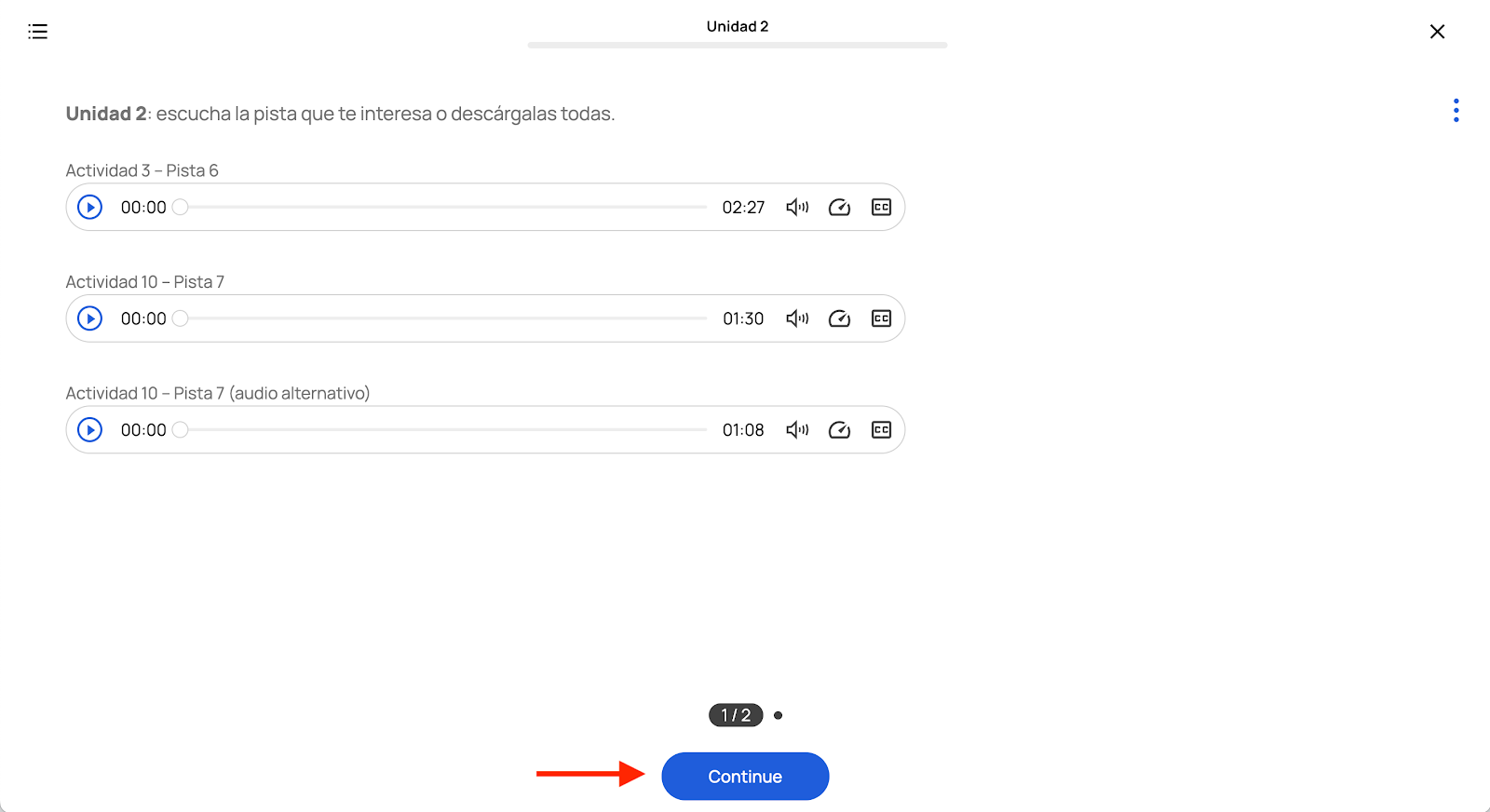
You will go from the student book files to those of the exercise book.
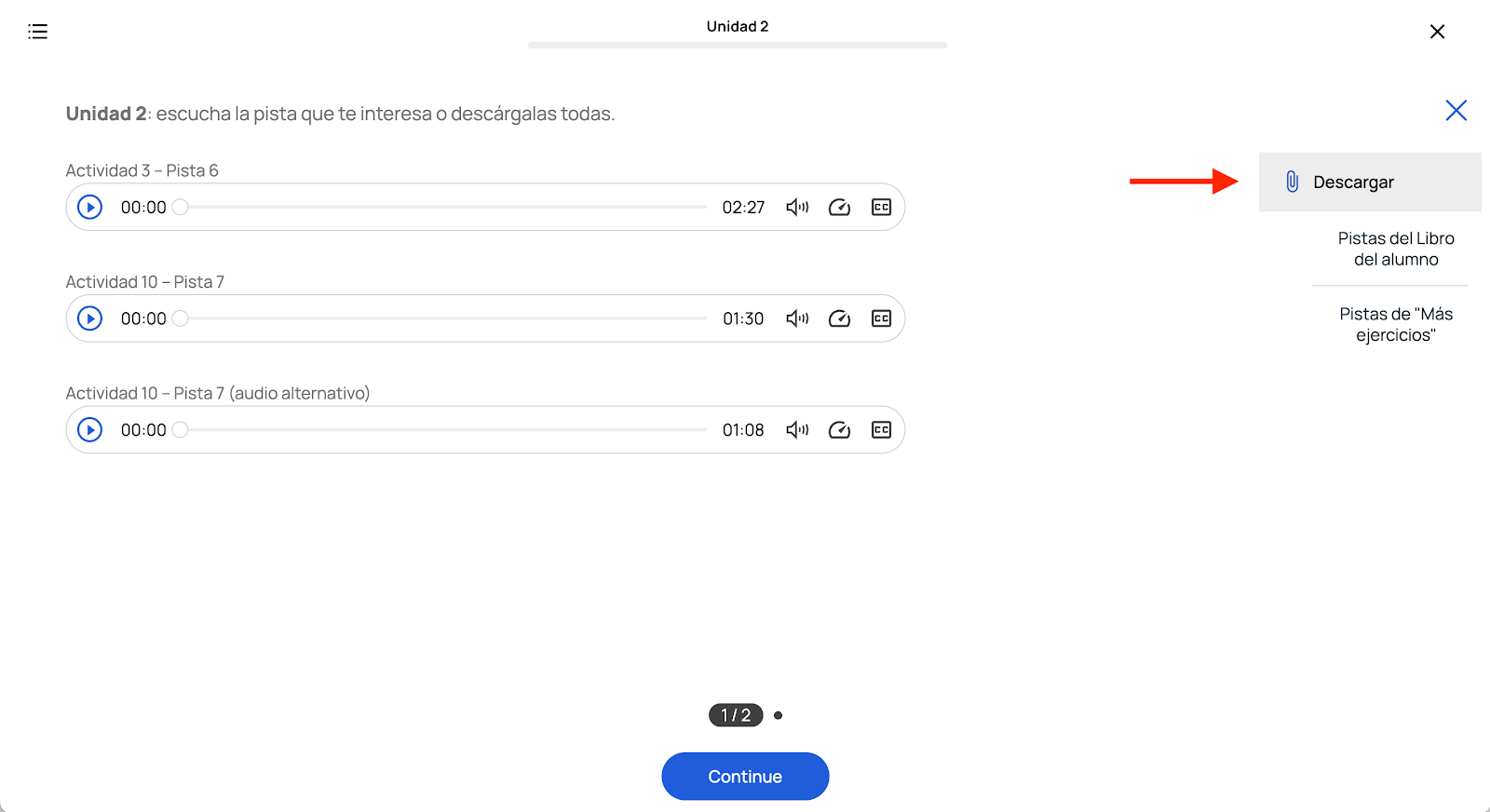
You can download the audios for the student and exercise books by clicking on the button with the three dots on the top right corner of the screen and selecting the corresponding section.

Related Articles
Access the video tutorials on how to use the platform and consult the user guide
To access the video tutorials, click here. Userguides: Puedes descargar aquí la guía del docente de la plataforma Campus Difusión en español. You can download here Campus Difusión platform student user guide in English. Puedes descargar aquí la guía ...
Where is the exercise book?
If your digital access includes access to the student book and the workbook. You can click on the icon on the far left of the toolbar to display the table of contents and go directly to the exercise book. To access the workbook audios, you must open ...
How can I download my book's audios?
Once you have activated your book's resources, click on the book's cover. Go to "MÁS RECURSOS" section and open "Pistas audio" in the corresponding unit. To download the audios, click on the icon with the three dots at the top right corner of the ...
How can I renew my access to the Campus platform?
You can purchase a new access in the Difusión online store. Below you will find details of the different accesses available to Campus Difusión: DIGITAL ACCESS FOR TEACHERS AND STUDENTS: Access to a digital textbook: This 12-month digital-only access ...
Where is the access code for my book?
- If you have purchased the hybrid edition, the code you need to enter can be found in the manual: When you open the book, on the back cover, you'll find all the information you need to access the Campus platform, as well as the access code, as you ...